
Lotus365 is designed primarily for mobile users. Whether you access through a browser or install the Android APK, the platform is built to deliver fast market updates, smooth navigation, and stable live betting during peak cricket traffic. Get set up through www.Lotus365ID.org and you’ll be placing bets from your phone in minutes.
This guide explains how to access Lotus365 on mobile, how the APK works, how browser access compares, and how to fix common app-related issues.
If you haven’t accessed your account yet, start from our login guide. For a full introduction to Lotus365 features and access setup, start here.
Is There an Official Lotus365 App on Lotus365ID.org?
Lotus365 offers two primary mobile access methods:
- Mobile browser access — open the site in your phone’s browser and log in
- Android APK installation — download and install the app directly on your device
There’s no traditional Play Store listing for the Lotus365 App. Access is controlled and distributed through official communication channels to ensure you always get the genuine, most secure version.
Both browser and APK versions provide full market access — cricket, football, live betting, casino games, and complete wallet functionality. There’s no feature gap between the two.
Mobile Browser Access on www.Lotus365ID.org
Browser access is the simplest and fastest way to get on the platform. No downloads, no installation, no storage used on your device.
How It Works
- Open the active Lotus365 mirror link in Chrome, Safari, or any mobile browser
- Enter your username and password
- Access the full dashboard instantly — sports markets, casino, wallet management, everything
Advantages of Browser Access
- No download required — just open the link and log in
- Works on both Android and iPhone — full cross-device compatibility
- Easy mirror switching — if the domain rotates, just open the new link
- Zero storage usage — nothing installed on your phone
- Automatic updates — the browser version always loads the latest platform version
For occasional bettors or users who switch between devices frequently, browser access is more than enough. You get every feature the platform offers without installing anything.
Android APK Version of the Lotus365 App
The APK version is designed for users who want a smoother, more app-like experience — especially during live cricket betting where speed and stability matter most.
Benefits of the APK
- Faster live odds refresh — prices update more smoothly during ball-by-ball cricket betting
- Smoother in-play navigation — switch between markets without loading delays
- Better stability during IPL peak hours — handles high traffic more reliably than browser
- Cleaner mobile interface — feels like a native app with intuitive touch navigation
- Quick launch from home screen — one tap and you’re on the platform
The APK is not mandatory — it’s an optional upgrade for regular bettors who want the best possible mobile experience. If you’re betting daily or heavily focused on live cricket markets, the APK is worth having.
How to Install the APK
If you choose the APK route, here’s the process:
- Download the latest APK file from the official source provided via WhatsApp support
- Enable “Install from unknown sources” in your Android settings
- Remove any older versions of the app before installing — this prevents conflicts
- Complete the installation
- Log in using your existing credentials
Common mistake: Installing the new APK over an old version without removing it first can cause loading issues, crashes, or blank screens. Always uninstall the old version before installing the update.
If Installation Is Blocked
- Check your permission settings — make sure “Unknown sources” or “Install unknown apps” is enabled for your browser or file manager
- Confirm you have enough storage — the APK needs a small amount of free space
- Restart your device and try the installation again
For detailed login troubleshooting after installation, check our login guide.
Browser vs APK – Which Should You Use?
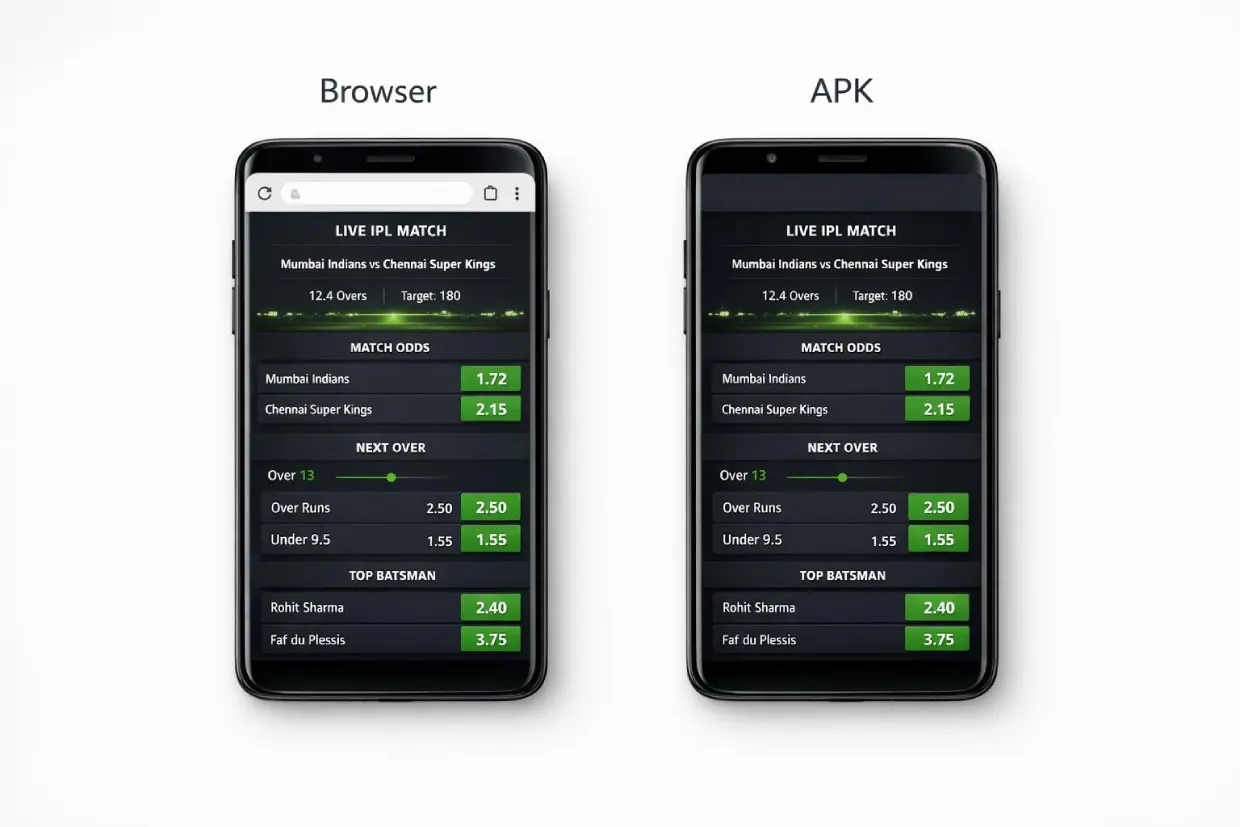
Both give you identical betting markets and wallet functionality. The choice comes down to how you use the platform.
Use Browser If:
- You bet occasionally — a few times a week or during specific matches
- You switch between devices often — phone, tablet, laptop
- You prefer not installing external files — browser keeps things simple
- You want flexibility with mirror updates — just open the new link, no reinstall needed
Use APK If:
- You bet daily or multiple times a day
- You focus heavily on live cricket markets — especially during IPL season
- You want smoother, faster market transitions during in-play betting
- You prefer a native app feel over a browser tab
Bottom line: If you’re a casual bettor, browser is perfect. If you’re a serious live bettor, the APK gives you a noticeable performance edge.
For deposit instructions after you’re logged in, check our deposit and withdrawal guide.
Common Lotus365 App and Mobile Issues
Even stable platforms can run into occasional device-related problems. Here’s how to fix the most common ones.
App Not Installing
Possible causes:
- “Unknown sources” is disabled in your Android settings
- The APK file was corrupted during download
- Your Android version isn’t compatible with the latest APK
How to fix it:
- Enable installation permissions — go to Settings → Security → Unknown Sources
- Re-download the latest APK from the official WhatsApp channel
- Remove any old versions before attempting installation again
App Opens But Markets Don’t Load
Possible causes:
- You’re running an outdated APK version
- Cached data is causing conflicts
- Temporary server load during a major match
How to fix it:
- Clear the app cache — go to Settings → Apps → Lotus365 → Clear Cache
- Restart your device and reopen the app
- Update to the latest APK version — contact support for the current file
Browser Version Slow During Live Matches
Possible causes:
- Too many background tabs open on your phone
- Weak or unstable network connection
- Heavy IPL traffic overwhelming the browser
How to fix it:
- Close unused tabs — free up memory for the betting platform
- Switch to a stronger network — WiFi if available, or try a different mobile connection
- Consider switching to the APK — it handles high-traffic periods more smoothly
For persistent issues, contact customer support for immediate help.
Lotus365 App Performance During IPL and High-Traffic Matches

During major tournaments like the IPL, platform traffic increases dramatically. Here’s what happens and how to handle it:
- Traffic spikes sharply — especially during evening matches and double-headers
- Market updates accelerate — live odds shift faster as more users engage
- Session betting becomes extremely active — powerplay and death over markets see the heaviest volume
The APK handles high refresh rates more smoothly during these periods, which is why it’s the preferred choice for serious IPL bettors. Browser access still works, but the APK gives you a noticeable stability advantage when it matters most.
If You Experience Issues During Peak Hours
- Request the current working mirror link from WhatsApp support
- Don’t refresh the page repeatedly — this can make loading slower, not faster
- Log in again using the updated mirror if the current one becomes unresponsive
For deeper understanding of live session markets and how to bet during high-traffic matches, see our betting guide.
Security on Lotus365ID.org
Keeping your mobile access secure is a shared responsibility between the platform and you. Follow these practices:
- Never install APK files from unknown sources — only use files provided through official WhatsApp support
- Verify file authenticity before every installation — if you didn’t get it from verified support, don’t install it
- Never share your login credentials — your ID and password are for your use only
- Avoid logging in on public or shared devices — if you must, always log out completely afterward
- Bookmark the official mirror link — don’t search for it every time, which risks landing on fake sites
If your account access becomes unstable or suspicious — unexpected logouts, balance discrepancies, or login attempts you didn’t make — contact customer support immediately.
Wallet and Betting Access Through Lotus365 App on www.Lotus365ID.org
Both browser and APK provide identical functionality for managing your account:
- Wallet management — check your balance, track transactions
- Deposit submissions — fund your account through UPI, Paytm, PhonePe, Google Pay, or bank transfer
- Withdrawal requests — send funds back to your bank or UPI
- Live cricket markets — IPL, T20, ODI, Tests, domestic leagues
- Pre-match sports betting — cricket, football, tennis, kabaddi, basketball, and more
- Casino games — Teen Patti, Andar Bahar, blackjack, roulette, slots
There is no feature difference between the browser and APK. Only interface smoothness and live performance may vary slightly — and that difference mainly shows up during high-traffic live betting.
For full wallet handling and payment details, review the deposit and withdrawal guide.
Updating the Lotus365 APK
Regular updates keep the app running smoothly. Here’s when and how to update.
When You Should Update
- The app crashes on launch or during use
- Markets show blank or fail to load
- Login errors appear despite correct credentials
- A forced update notification pops up when you open the app
How to Update
- Remove the previous version completely from your device
- Download the latest APK from official WhatsApp support
- Install the fresh file and log in again
Don’t delay updates during major tournament periods like the IPL. Running an outdated version during high-traffic events is the most common cause of performance issues.
Choosing the Right Setup for You
Here’s the quick summary:
- Casual bettor → Browser access is all you need. Simple, flexible, no installation.
- Frequent live bettor → APK gives you smoother performance during live matches.
- Device switcher → Browser is more flexible since you just open a link on any device.
The system is built to support both methods equally without restricting functionality. Pick what works for your style and switch anytime.
Get Started on www.Lotus365ID.org
- Get your Betting ID through WhatsApp support on Lotus365ID.org
- Choose your access method — browser or APK
- Log in and deposit ₹100 through UPI or your preferred payment method
- Start betting — live cricket, sports, casino, all available immediately
Get your ID through Lotus365ID.org and start betting from your phone today.
Frequently Asked Questions
Is the Lotus365 App available on Google Play or the App Store?
No. The app isn’t listed on public app stores. This is standard for ID-based betting platforms in India. Access is provided through official WhatsApp support after your betting ID is created.
Is the Lotus365 App free?
Yes. There’s no charge for the APK or browser access. If anyone asks for payment before giving you the app or your ID, it’s not legitimate. All access is handled free of charge through verified channels.
Can I use Lotus365 on iPhone?
Yes. While the APK is Android-only, iPhone users get full access through Safari browser. Add the site to your home screen for an app-like experience with one-tap access.
What’s the minimum deposit?
₹100. Deposits process instantly through UPI, Paytm, PhonePe, Google Pay, or bank transfer. Once the balance hits your wallet, you can start betting immediately.
Which is better — browser or APK?
It depends on usage. Browser is simpler and works on all devices. APK is faster and more stable during live betting, especially during IPL. Both give you identical markets and features.
What if the app keeps crashing?
Uninstall the current version, download the latest APK from official support, and install fresh. Most crashes are caused by outdated versions or installing over old files without removing them first.
How do I get the latest mirror link?
Message WhatsApp support. If the current link isn’t working, they’ll send you the updated mirror immediately. Bookmark it once you have it.
Are my funds safe on the mobile platform?
Yes. Both browser and APK use the same secure infrastructure. Your wallet, bets, and transaction history are protected regardless of which access method you use. Just keep your credentials private and only use official channels.